
A website can look impressive and still make requesting an estimate difficult. A homeowner may not understand your coverage, find the relevant service, or know what happens after submitting a form. Small uncertainties can interrupt an otherwise promising enquiry.
Review the website as a customer would. The aim is a clear path from a specific need to a useful conversation. Start with the pages your best prospects already visit rather than redesigning everything at once.
1. Explain the offer before asking for contact
Your opening section should identify the service and the customer it suits. Someone looking for residential painting needs to know whether you do that work and cover their area. A broad slogan about excellence cannot answer those questions on its own.
Use a descriptive headline, a short supporting explanation, and a specific next step. If you offer several services, help visitors choose the relevant one. Do not force every enquiry through a vague page that leaves people uncertain about what the business actually does.
Make the promise match your operation. Do not advertise emergency availability, a response time, or a free service that the team cannot consistently provide. Accurate expectations make the eventual conversation easier and avoid creating problems your office must explain later.
2. Test the mobile contact route
Open the site on a phone and try to contact the company with one hand. Can you find the number? Does its link open the phone app? Can you see and use the main action without it covering the text?
Test the sticky header while scrolling, not only at the top. Open and close the menu. Check that links are easy to select and that one oversized image or form does not make the page move sideways. These checks can reveal problems before you commission a larger redesign.
A mobile action bar may help some sites, but more persistent interface elements are not always better. Leave space to read and operate the page. Choose a clear primary action instead of making several equally prominent buttons compete for attention.
3. Place relevant proof near the decision
Show work and feedback that relate to the service page. Someone considering exterior painting should not have to search through unrelated projects. Explain what each example involved and use accurate captions that help the customer understand what they are seeing.
Keep testimonials faithful to the original feedback. Do not invent names, ratings, locations, or outcomes. Photographs should represent your work or be clearly used as illustrations rather than implying that stock imagery shows a completed customer project.
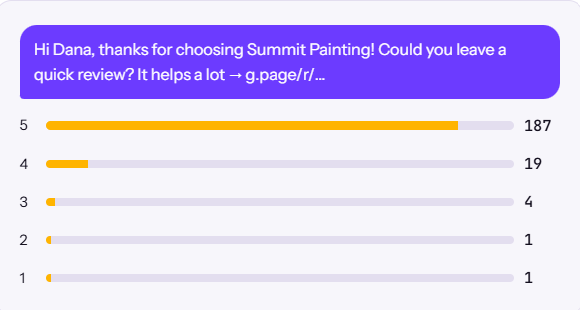
If you need a consistent feedback process, see our guide to requesting honest Google reviews. Proof works best alongside a clear explanation of the service, rather than as a replacement for the information a customer needs to decide.
4. Explain what happens after the form
People may hesitate because they do not know what a request commits them to. Explain whether the next step is a conversation, a site visit, or an estimate review. Tell the customer what information your team needs and how they should expect to hear back.
Keep response promises realistic. If the business cannot consistently meet a particular deadline, do not publish it. You can still describe the process clearly without inventing urgency or availability. The explanation should match the handover your team can deliver.
A useful confirmation message acknowledges the request and repeats the expected follow-up. If submission fails, show an understandable error and another contact route. A visitor should not be left guessing whether the message arrived or whether they need to try again.
5. Ask for information you actually need
An initial form can collect contact details, location, service, and a brief description. Consider which additional questions are necessary before the first conversation and which your office can ask later. Every field should have a clear purpose.
Use labels that explain what belongs in each field. If you accept photographs, explain how they help the team assess the enquiry. Make validation understandable so someone can correct an error without losing everything already entered.
Submit a genuine test request. Confirm that the right inbox or system receives it, that the team can identify the service requested, and that the sender gets the intended confirmation. A polished form can still fail behind the scenes, so appearance alone is not enough.
6. Check readability and page performance
Give important information enough space. Use descriptive headings, readable text, and sufficient contrast. Avoid placing essential explanations over busy photographs or adding decorative animation that makes the interface harder to operate.
Use appropriately sized images and reserve space for embedded content so the page does not unexpectedly jump while someone tries to tap. Check common tasks on a real phone as well as a desktop screen: reading the service, opening the menu, calling, and submitting a request.
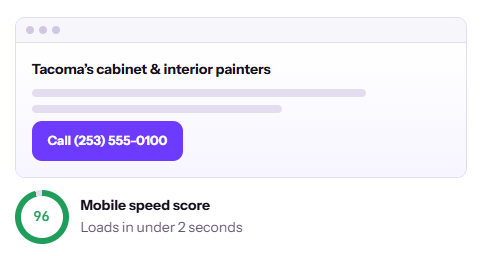
Use performance measurements to support usability, rather than treating a single score as the whole objective. A site that loads quickly but explains nothing still leaves customers uncertain. Practical quality depends on both delivery and the usefulness of the content.
Improve one obstacle at a time
Record meaningful contact actions alongside the enquiries your office receives. Note the service and location requested and whether the enquiry becomes suitable work. More form submissions are not automatically better when they come from the wrong area or request services you do not provide.
Choose a focused improvement and keep notes about what changed. Connect the work with local visibility and clear information for AI-assisted discovery. To review the complete journey, book an introductory call with The Largely.